My photo
Sydney, Australia
portfolio | precedents | process [since 2012]

Thursday, September 13, 2012

thursday vivian street

So I have been looking online for precedents involving thread and wrapping which is what I intend to do with my object. I am really interested in what the ramifications of the 'no-glue-constraint' are. I have found an art school graduate in London who has invented a thread wrapping machine. It's almost exactly what I want to do but on a larger scale (i.e. using furniture to wrap) and I really like the extent to which he is prepared to go in order to wrap his objects.

Here are some of the items he has wrapped:

Source

Source

Source


I am really interested in the theory that it takes 10 000 hours of practice to become an expert or really good at an activity or vocation... so I was pleased to read the artist's assertion:
“To become a master of the Craft of Thread wrapping, at least 10 000 meters of thread has to be used.”

It should be noted that his machine uses glue-coated thread...

Tuesday, September 11, 2012

tuesday vivian street - hand in

Laser Cut Files handed in today...


Everything...
 So I did it in acrylic and card (because I could) and because I have a plan for thickening the beast since it is slightly on the lighter side...

Can't wait to see it all cut out.

Wednesday, August 22, 2012

tuesday vivian street

Firstly after speaking to Hannah today I think there could be a solution to my rendering dilemma... watch this space: there is a render of all 81 iterations from our first project coming up later this week.

Now onto the next project.

I have been toying with a few options for fabricating my object:

I started out with the layered idea last week (see here) which is the most obvious and could be done with my hero except that is seems too easy. I have been working on slicing and sectioned it off to that end:

layers created using 31 sections as per Sunny's technique 21/08/12

I have also thought about sectioning it off into pieces that can be assembled  (I would use SolidWorks to assemble it first for this - kind of interesting). Here are a couple of pieces I sectioned off and took into Illustrator:

sections exported into SolidWorks then Illustrator
Sunny and I have talked about (ironically) a latticework version what could be assembled and then thread wrapped around it like a skin. Love this idea. Am a bit scared of the intricacy involved.
Here is the precedent for the idea:

Source
We exported the beast out of 3ds Max as a .dxf file (after Prooptimising down to 1% and adding a Push modifier) into Sketchup and Sunny created a latticework around the object so that we can explode the box form then delete the outer part of the box (i.e. the non-creature parts) so that all we are left with is a latticework form of the thread beast. I could lay them out into an A4 sized plane in Sketchup and then transfer them into Illustrator (making sure they are all carefully numbered so as to facilitate the construction phase) How cool is this? Things that concern me are: how small will this need to be so that I can fit it all onto one A4 piece of acrylic; I need to build slots into this so that the pieces all fit together... I am concerned I am going to mess up with calculating the tolerance. I understand the laser cutting process destroys 0.2 of a millimetre. I have to factor this in when drawing in the slots.

Sketchup file prior to removing non-beast parts

I also had thought about the idea of doing almost the reverse of this where I layer the exterior space into a box so that the beast is actually a void inside the box and I could paint the edges in the blacks and reds of the original two 3ds Max objects.I know Sunny had concerns that this might not work so well in that the object might not be visible but I have two strong/dark colours to work with - I feel like it could work quite well and I like the idea of the creature becoming like specimen preserved in a box. Here's a mock-up of how it might look (minus the planes created by the acrylic layers) rendered in 3ds Max:

Render of beast in an acrylic box


Monday, August 20, 2012

monday vivian street - hand in

So after a LOOOONG night I have a hero image:


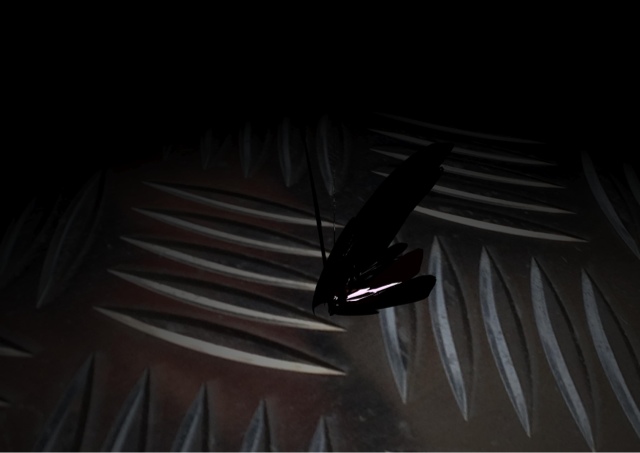
I am happy with this image - I really love the textures and shiny wings of my thread beast
But even after literally all weekend and this morning I have been unable to overcome the issue of rendering all 81 iterations all at once. I struggled to get them on a file...but managed to yesterday then found it wouldn't render. This is the screen I got over and over:

the render screen of death
So I googled the error message and tried a few things but to no avail...I ended up isolating the 10 objects that were causing the bother... so I got up one render of the scene without those:

I call this 'everything but the rogue 10'
I came in early this morning to try and do 10 more iterations that could replace the 'rogue 10' and did it! I added them, but found I got the 'render fail screen of death' again.

So I handed in what I had and can definitely say I did (more than) 81 iterations - there's even a .max file to see but no render...

I am satisfied that my work demonstrates the words: work, thread and aggression. I am armed with the knowledge that lattice is a modifier I will not revisit in a hurry. I can't wait to have my fully rebuilt computer at home.

Thursday, August 16, 2012

wednesday betty street

New project introduced this week. I have been experimenting with creating my first iteration in paper or cardboard form.

I went back to solidworks to see what information I could get about the scale of the object and found I could print the top and side which I did:

Top and bottom of first iteration


Then scaled it down so I could use it as a template on an A4 piece of paper.

Top and bottom scaled down by 50%
The template

My initial idea was to use a concertina-ed piece of paper to represent the sides and sandwich it between two pieces of paper cut in the 'figure 8' shape...That all worked fine and left plenty of paper to play around with making the black spiked piece. But simply gluing the paper pieces together didn't work.
First attempt in paper

So I thought about making it a solid piece using layers of cardboard all cut using the template. I did this successfully but it used all the cardboard (I limited myself to an A4 sized piece).

A4 sized piece of cardboard


I would therefore not be able to make the needle shape if I use this method. I like the idea of doing this with perspex but wonder if it's too simple. I would love to see it complete with the needle in perspex - using the same layered technique.

Final cardboard version of object.

Tuesday, August 14, 2012

hand in... tuesday vivian street

Tried but couldn't get all my iterations on one file.
So I managed to put the first twenty together plus my hero image and lit them and applied materials...

monday vivian and betty street

I have worked all weekend and most of today and have 60 iterations. I am assembling them in a scene ready to light and render...

Update: I stayed at Vivian Street till 2am trying to prepare the files to merge. I came home to do that but after trying all night was unable... The computer just couldn't cope.

It's really strange because the file is just 235 MG and I am trying to merge the final 20 iterations and they just won't go.

I am therefore unable to light and render my scene.

I am hoping to get to Vivian Street an hour earlier than normal so that I can at least render the hero image.